The end of the notepad era: Why beauty professionals are choosing Google's free notepad
The End of the "Notebook" Era: Why Beauty Masters Are Choosing Free Booking from Google
"Hi, do you have a free slot for Tuesday?", "How much is it?", "Oh, I forgot to come!" — sound familiar? Every beauty master, from beginners to pros, faces the fact that administration takes more energy than the work itself. You are constantly distracted by your phone, mixing up appointments, or losing clients simply because you didn't reply to a DM fast enough.
The market offers many CRM systems (like Altegio, Dikidi, Yclients), but they are often paid or overloaded with features you don't need. However, there is a "secret" weapon that not everyone knows about — Google Calendar Appointment Scheduling.
Who is this article for?
This solution is ideal for private masters (manicure, makeup, massage, hairstylists) who work for themselves and want to automate booking for free. This is especially useful for those who are already creating a master profile on BeautyMap and want to add a "Book Online" button.
Booking Methods Battle: What to Choose?
Let's compare the three most popular ways of managing client appointments.
| Criteria | Notebook / DM | Paid CRMs | Google Calendar |
|---|---|---|---|
| Price | Free | Monthly Fee | Free |
| Booking Time | High (chatting) | Minimal (auto) | Minimal (auto) |
| Reminders | Manual | SMS/Viber (paid) | Email (free) |
| Convenience | Low | High | High |
How Does It Work?
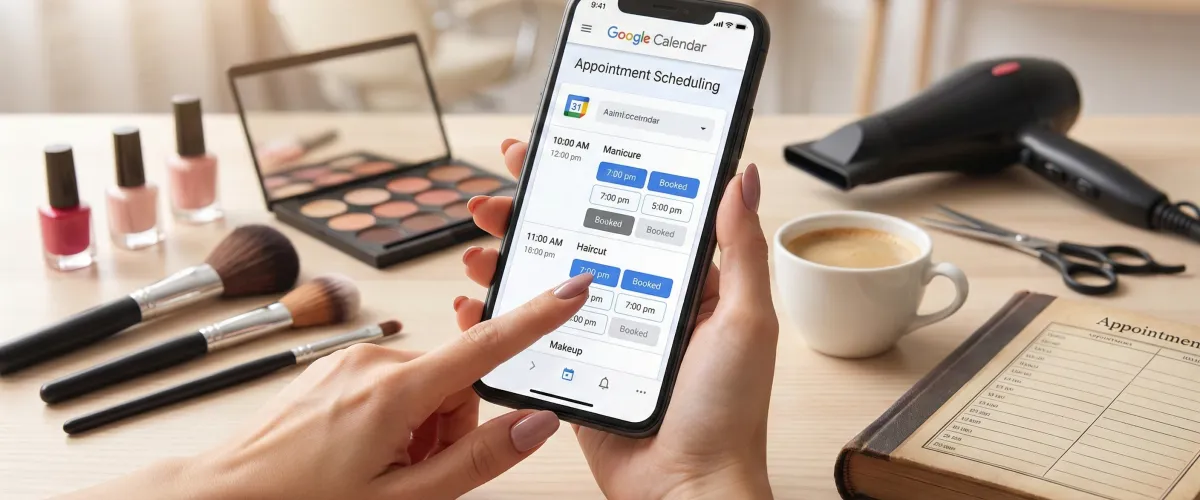
The "Appointment Scheduling" feature creates a personal web page for you. You are not just adding an event to a calendar; you are giving the client a link where they see ONLY your available time.

- ✔ Synchronization: If you add "Dentist" to your calendar at 2:00 PM, this slot will automatically disappear from the available booking times.
- ✔ Buffer Time: You can automatically set a 15-minute break between clients for cleaning and coffee.
- ✔ Data Collection: You decide what to ask (Name, Phone, Instagram, Allergies, etc.).
Step-by-Step Guide: Setup in 5 Minutes
You will need a computer (it's easier to set up on a PC, but you can manage it from your phone).
- Go to your Google Calendar.
- Click the "Create" (+) button in the top left corner.
- Select "Appointment schedule".
- Step 1: Enter the title (e.g., "Manicure"), duration, and your working hours.
- Step 2: Add a description, photo (logo), and fields for the client to fill out.
- Click "Save" and copy the link.
How to Get Maximum Clients?
The link won't work by itself — people need to see it. Here is your success strategy:
- Add the link to your Instagram bio (Linktree or direct link).
- Most Importantly: Place this link on specialized platforms. When you register as a master on BeautyMap, there is a special field for "Online Booking".
Insight: Master profiles that have a "Book Online" button receive 40% more requests than those that just say "DM me". Clients love speed!
Don't be afraid of technology. Google Calendar is a simple, reliable, and free start. And to let more people know about your service, don't forget to create a profile on BeautyMap today.